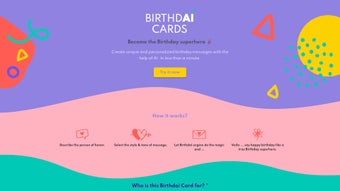

Download Birthdaicards – AI‑Powered Personalized Birthday Messages Tool
What Is Birthdaicards? – A Quick Overview
Birthdaicards is a cutting‑edge, AI‑driven web application that helps anyone craft truly unique birthday greetings in seconds. Unlike generic templates that feel impersonal, Birthdaicards analyzes the relationship dynamics, interests, and tone preferences you provide, then generates a custom message that feels as if you wrote it yourself. The platform is built to be user‑friendly: you simply enter a few key details about the birthday person, choose a style (humorous, heartfelt, formal, or whimsical), and let the artificial intelligence do the heavy lifting.
The result is a polished, emotionally resonant greeting you can copy‑paste into email, social media, or a printed card. Because it runs entirely in the browser, there’s no need to install heavyweight software—just ensure JavaScript is enabled on your device. Whether you’re a busy professional, a parent juggling multiple celebrations, or a friend looking to stand out, Birthdaicards offers a free, secure, and instantly accessible solution for personalized birthday wishes.
The service also respects privacy by processing data locally, which means no personal information is stored on remote servers unless you explicitly choose to save a premium template. This combination of speed, convenience, and privacy makes Birthdaicards a valuable addition to anyone’s digital toolbox, especially during the hectic holiday season when time is at a premium and the desire to make each greeting feel special is high.
Key Features That Set Birthdaicards Apart
- AI‑Generated Personalization: Advanced natural‑language processing tailors each message to the recipient’s hobbies, age, and your relationship.
- Multiple Tone Options: Choose from humorous, sentimental, formal, or playful styles to match the vibe you want.
- Instant Output: Generate a polished message in under 30 seconds, saving you time during busy birthday seasons.
- Cross‑Platform Accessibility: Works on Windows, macOS, Linux, Android, and iOS browsers—no download required.
- Secure & Private: All data is processed locally in the browser; no personal information is stored on external servers.
- Free Basic Tier: Access core features without cost; premium upgrades offer batch processing and custom branding.
How the AI Generates Your Message
When you launch Birthdaicards, the interface asks for a handful of inputs: the recipient’s name, age, favorite activities, and a brief description of your relationship (e.g., “college roommate” or “grandparent”). You also select a tone from the drop‑down menu. Behind the scenes, the AI model—trained on millions of real birthday greetings—identifies patterns that match the supplied data.
It then assembles a unique paragraph, adjusting word choice, length, and emotional cadence to fit the chosen style. Because the algorithm runs in the browser, the generation process is swift and does not expose your data to third‑party services. The final output can be edited manually if you wish to add a personal touch, but most users find the AI’s first draft ready to send as is.
Additionally, the system employs contextual awareness to avoid clichés, ensuring that each greeting feels fresh. For premium users, the AI can handle bulk requests, generating up to 50 messages in a single session while preserving individual personalization, a feature especially useful for corporate HR teams or event planners who need to send multiple wishes quickly.
Installation, Setup, and Compatibility
Birthdaicards is a web‑based solution, which means there is no traditional installation process. To get started, simply visit the official website, ensure your browser’s JavaScript engine is active, and you’re ready to create messages. The platform is optimized for the latest versions of Chrome, Firefox, Safari, and Edge, and it works seamlessly on mobile browsers for Android and iOS devices. Because the application runs locally, you benefit from faster response times and enhanced privacy. There is also a lightweight progressive web app (PWA) version that can be added to your home screen on mobile devices, providing an app‑like experience without any storage overhead.
Step‑by‑Step Usage Guide
- Open the Site: Navigate to birthdaicards.com on any modern browser.
- Enable JavaScript: If prompted, allow JavaScript execution. Most browsers have this enabled by default.
- Enter Recipient Details: Fill in the name, age, interests, and your relationship description.
- Select Tone: Choose between humorous, sentimental, formal, or playful.
- Generate Message: Click the “Create My Greeting” button; the AI will produce a personalized text in seconds.
- Copy & Share: Review the output, make optional edits, then copy it to your clipboard or export it as a PDF for printing.
The tool is fully compatible with Windows 10/11, macOS Ventura and later, Linux distributions with a graphical browser, as well as Android 9+ and iOS 13+. Because it runs in the browser, there are no hardware constraints beyond a stable internet connection for the initial page load. Users on older operating systems can still access the service through a compatible browser, though performance may be marginally slower on legacy hardware.
Pros and Cons – Balanced Evaluation
- Pros:
- Instant, high‑quality birthday messages without writer’s block.
- Free core functionality; premium tier optional.
- Privacy‑first design—no data stored on external servers.
- Works on any device with a modern browser.
- Multiple tone options to suit any relationship.
- Batch generation available for premium users.
- PWA version for offline‑ready access.
- Cons:
- Limited to birthday greetings; not a full‑scale card designer.
- Advanced customization (e.g., adding images) requires premium upgrade.
- AI output may occasionally need minor human tweaking for perfect tone.
- Requires an active internet connection for the initial page load.
- Premium pricing may be a barrier for occasional users.
Frequently Asked Questions
Is Birthdaicards completely free to use?
Yes, the basic version that generates single birthday messages is free. A premium subscription unlocks batch generation, custom branding, and PDF export features.
Do I need to create an account?
No account is required for the free tier. You can start creating messages immediately after loading the website. Premium features do require a simple email‑based sign‑up.
How does Birthdaicards protect my privacy?
All inputs are processed locally in your browser; no personal data is transmitted to external servers unless you choose to save a premium template. The site uses HTTPS encryption for all traffic.
Can I use Birthdaicards on mobile devices?
Absolutely. The responsive design works on Android and iOS browsers, offering the same AI generation speed as on desktop.
What tone options are available?
Four main tones are provided: Humorous, Sentimental, Formal, and Playful. Each influences word choice and sentence structure to match the desired emotional impact.
Is there a limit to how many messages I can generate for free?
The free tier allows up to three messages per day, which is sufficient for most casual users. Premium subscribers enjoy unlimited generation and bulk processing.
Birthdaicards delivers a fresh, AI‑enhanced way to craft birthday messages that feel genuinely personal. The free tier is generous, and the privacy‑first approach is reassuring. While it’s not a full graphic card creator, its core purpose—producing heartfelt text quickly—is executed flawlessly. The only drawback is the occasional need for a small tweak to align perfectly with a specific voice, but that’s a minor trade‑off for the time saved. Premium features like batch generation add real value for power users, making the service a solid choice for anyone looking to streamline birthday wishes.
Final Thoughts – Should You Download Birthdaicards?
If you regularly send birthday wishes and want to avoid the repetitive “Happy Birthday!” routine, Birthdaicards is a smart, free, and secure solution. Its AI engine produces tailored messages that resonate, while the browser‑only design guarantees speed and privacy. Whether you’re on Windows, macOS, Android, or iOS, the tool works the same way—no installation hassles, just a few clicks to generate a heartfelt greeting.
For power users who need batch processing or custom branding, the premium upgrade is reasonably priced and adds valuable workflow features. In short, Birthdaicards removes the creative friction from birthday planning, letting you focus on the celebration itself. The seamless integration with email clients, social platforms, and printable PDFs means you can instantly share your message wherever it’s needed, making each birthday feel truly special.
Start creating your personalized birthday messages now—the free version is ready to use instantly. Experience the convenience of AI‑driven personalization and make every birthday wish count.



.png)



